

Saving and sharing knowledge cards
Content version · · Sources & references
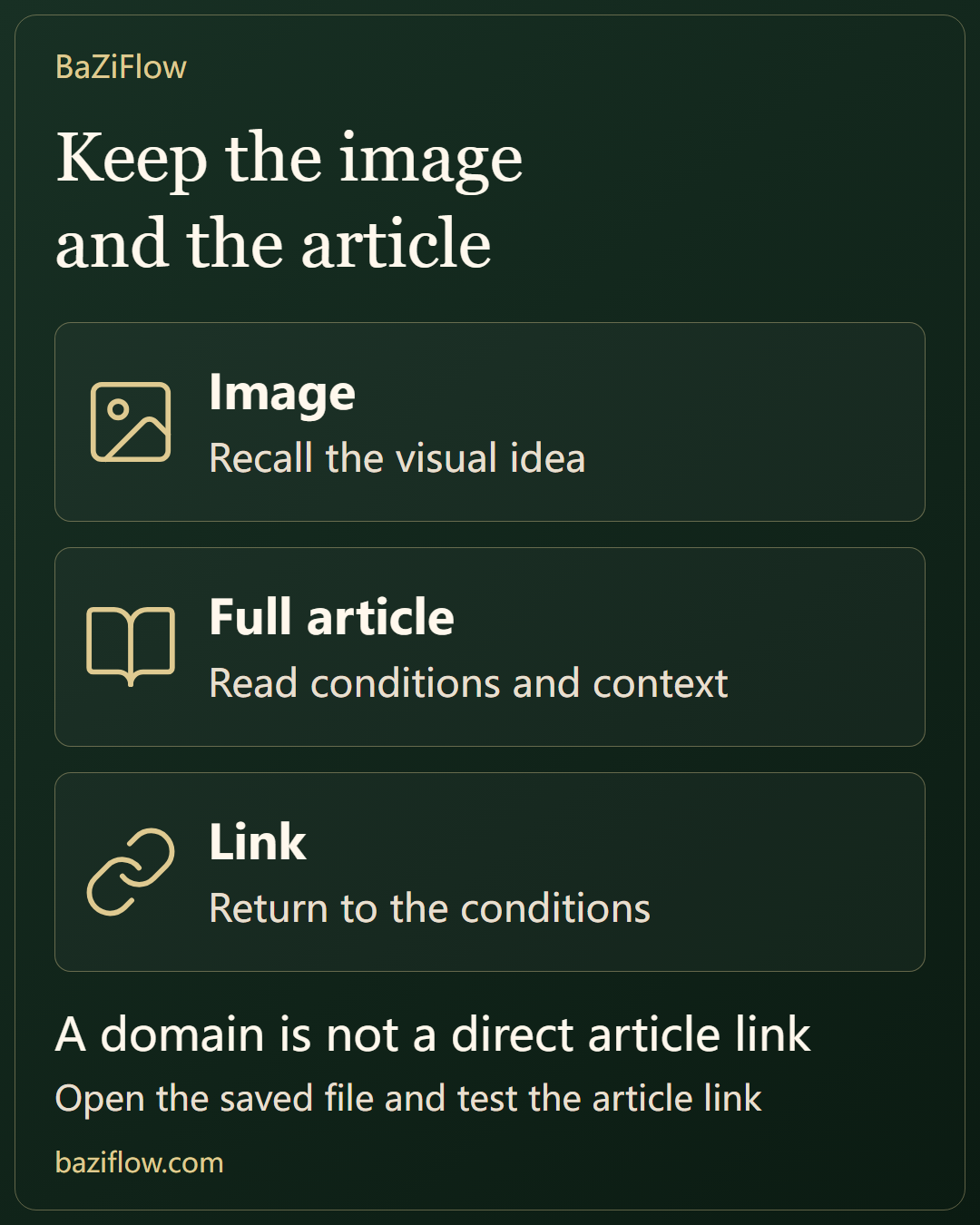
A share card and an article link preserve different things. Save the image for a concise reminder, keep the link for context, and check language and version before passing either on.
The short version6 min read
A share image makes a point portable without carrying the full argument. Keep its image file and article link separately, then check that both belong to the intended article and language.
- An image, an article address and a personal note preserve different things.
- A printed brand domain may omit the article path; include a usable full-text link.
- Confirm actual files and versions rather than treating a click as a completed save.
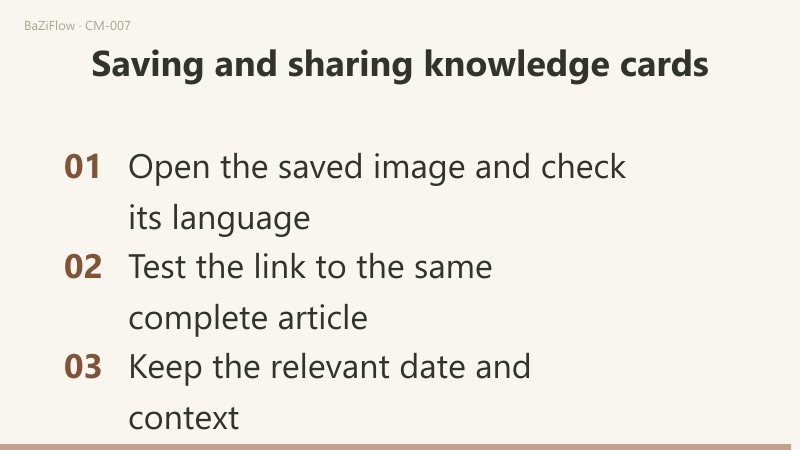
Choose what you want to keep
Saving a knowledge card gives you an image. Copying the article link gives you an address that opens the full text. These actions are complementary, not interchangeable. An image can remind you of a point without internet access, while a link preserves a route to the argument, its conditions and references.
The card presents public educational material rather than an individual chart reading. Recognizing your own experience in its wording can prompt a useful question, but it does not turn the card into a personal conclusion. Read the full passage before applying the idea to a particular person or situation.
| What you want | What to preserve |
|---|---|
| A compact visual reminder | The share-card image |
| A route to the complete explanation | The article link |
| Your own interpretation or question | A separate note with the source location |
Image file
- An offline visual reminder
Article address
- The complete explanation
Personal note
- Your understanding and question
A visual reminder and a route to the full context
- Brand domain
- Identifies a website but may not include the path to a particular article.
- Direct article link
- Opens the intended article and language rather than an image or homepage.
Save the image in the language you are reading
On the article page, check the title and selected language before using the share-card area. The “Save share card” button points to the card image. Opening the image itself lets you inspect it separately. Your browser may ask where to save it, save it according to existing preferences, or open it before you choose what to do next.
MDN's documentation for download links notes that behavior depends on the browser, user settings and other factors. For that reason, check the actual download notification or saved file instead of assuming a fixed destination such as a photo library. Clicking the control is not the same as confirming that the file reached the location you expected.
Inspect the saved card for readable text, the intended language and its topic and brand. If you share the original card, retain its title and brand, and include a separate article link. Cropping it down to a striking sentence can remove exactly the context another reader needs to understand what is being claimed.
Verify the link after copying it
In browsers or on devices that support system sharing, the “Share with a friend” button opens the system share sheet directly (the menu opens only if you cancel it); otherwise it opens a menu whose “Copy article link” item copies the title plus the article address for the current language (the address carries a utm_source=article_share parameter). Look for the page's feedback, then paste the result into your own note and inspect it. Clipboard writing can be disallowed by the browser; MDN documents that failure case. Do not treat a click alone as proof that the address is now on your clipboard.
If the copy action does not finish, manually copy the browser address while you are on the article page. If you previously opened the image in a separate page, return to the article first. An image address opens a file; it does not take the recipient to the complete explanation.
Open the saved link once before relying on it. Check that the destination is the intended article and language. This small check also catches accidental copies of another tab's address or an incomplete selection, without requiring you to understand how the page implements copying.
Image address
- Opens a PNG file
Article address
- Opens the full article
Give the recipient a usable route back
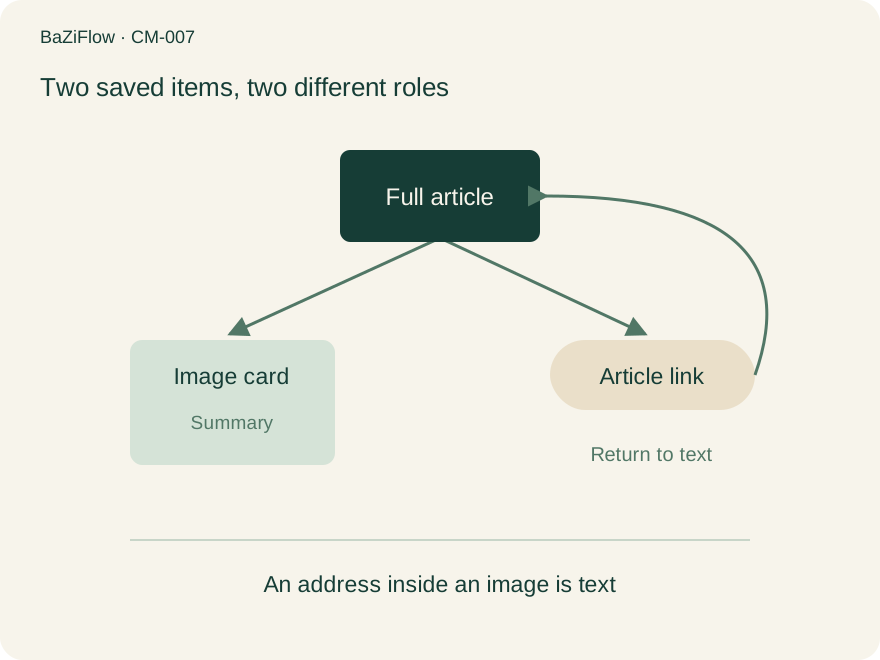
Original BaZiFlow saving-path diagram. No QR code is shown; the article link provides the route back.
The diagram shows two branches from the article. The image retains a summary; the link points back to the full text. An address printed in an ordinary image does not make the image a clickable webpage. Some messaging tools may recognize text, but that is not behavior to rely on for every recipient.
Include the article link as text alongside the card. A brief accompanying note can identify the distinction you found useful, while leaving the full argument to the article. Avoid rewriting an educational point as a claim that a named person must have a particular trait or future.
If you want to connect the idea to a tool result, the guide to learning between articles and tools helps keep the example, the displayed field and your interpretation separate. The card is an entry into that exercise, not a substitute for it.
Image alone
- What the recipient can do
- Read only the included material
Image plus article link
- What the recipient can do
- Inspect definitions and sources
Preserve context when the article changes
A downloaded image remains the file you saved. It does not replace itself when the article is revised. Keep a capture date beside the article link if the version matters to your notes. Before citing a specific argument later, return to the relevant section and check the current wording and sources.
Changing the article language also calls for a fresh check of the card and link. Different language versions may organize the explanation differently; a short card cannot establish what another version's full text does or does not explain. Match the saved image to the article you actually mean to share.
The guide to saving evidence and uncertainty covers a fuller record when you need to preserve a claim, its support and later corrections. A share card is deliberately lighter. It is useful because it makes a point portable, not because it contains an entire evidence trail.
Finally, distinguish the public card from material you add around it. A screenshot, filename or message can include personal information even when the card itself does not. Include only the context needed for the discussion, especially when someone else's birth details or private question are involved. A readable image, a working article link and one thoughtful question are enough for a clear, useful share.
Saved image
- Keeps the earlier content
Current article
- May include a revision
Save and inspect the image
Check the actual file for its topic, language, readable labels and brand.
Get the article address
Depending on the device, use the share sheet or copy menu, or copy from the article’s address bar.
Open it as a recipient would
Confirm that the link reaches the same complete article and language; add a capture date when relevant.
Questions readers ask next
Is a printed baziflow.com domain enough?
It identifies the site but may omit the article path. Include the article page’s address as a separate text link when the recipient should reach the full explanation directly.
Can I copy the image page address?
That normally opens the image file, not the article. Return to the article, copy its address and open it once to check the title and language.
Should I save again after a revision?
Your local file remains unchanged. If you need the current argument, inspect the article first and decide whether to download a new card, keeping a date appropriate to your use.
Was this article helpful?